
Setting Up Automated Savings Rules Inside a Digital Banking App

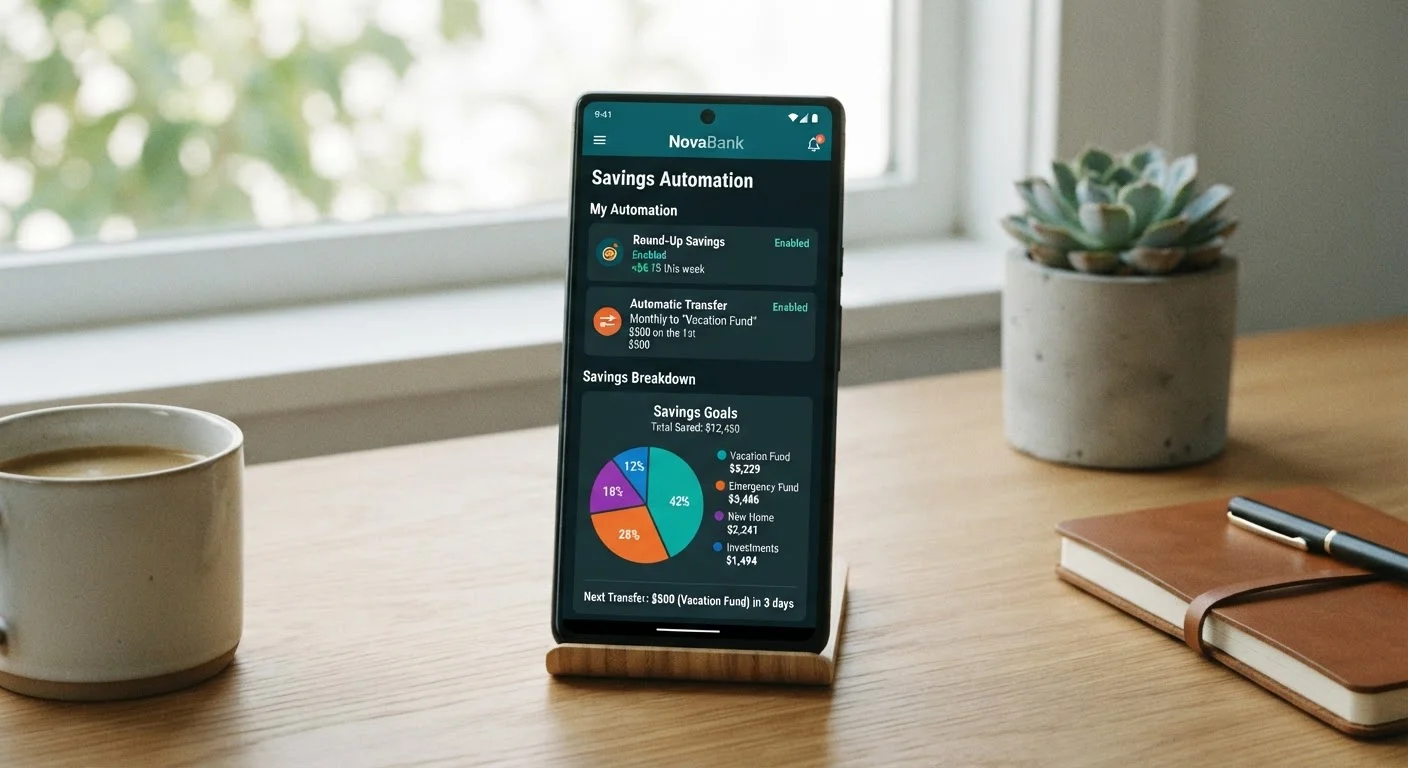
Photo: MoneyOnMind.net | Navigate Money With Clarity editorial
Key Takeaways
- Automated savings rules transfer money without requiring manual action, reducing the temptation to spend first.
- Trigger conditions - like payday or a balance threshold - determine when and how much gets moved.
- Most digital banking apps support at least one automation type; features vary significantly by provider.
- Setting a specific savings goal tied to each rule improves follow-through and measurability.
- Review your rules quarterly to ensure they still align with your income and expenses.
Why Automation Outperforms Willpower for Saving
Manual saving requires you to remember, prioritize, and act - every single pay period. Behavioral research consistently shows that friction and competing priorities erode savings intentions over time, regardless of how motivated someone feels at the start. Automated rules eliminate that friction entirely by moving money before it enters your mental accounting as spendable.
This is sometimes called paying yourself first: structuring your finances so savings happen at the source rather than from whatever remains after spending. Digital banking apps make this approach accessible without requiring a financial adviser or a complex spreadsheet. If you've found that manual budgeting tools haven't delivered results, the reasons your digital bank's budgeting tool may not be working often point back to a lack of automation rather than a lack of effort.
What you will need
The tools and steps below apply broadly to most US digital banks and fintech apps, though specific menu names and available trigger types will differ by provider. This article is general financial education - not personalized financial advice. Consult a licensed financial professional for guidance specific to your situation.
Digital Banking App
The primary interface for creating, editing, and monitoring automated savings rules.
Savings Sub-Account or Vault
A separate balance compartment within your bank to receive automated transfers and keep savings distinct from spending money.
Direct Deposit Setup
Enables payday-triggered rules that move a portion of each paycheck automatically at the moment funds arrive.
Configuring Your Automated Savings Rule
Follow the steps below in sequence. Each builds on the previous one, so skipping ahead - particularly past the trigger-condition step - often leads to rules that don't fire reliably or conflict with your actual cash flow.
Identify your savings goal and target amount
Before opening the app, decide what you are saving for - an emergency fund, a vacation, a debt payoff buffer - and set a realistic target dollar amount. Goals give your automation rules purpose and make it easier to choose the right transfer size. A vague intention to "save more" rarely survives contact with a monthly expense spike.
Open the automation or rules section of your app
Navigate to your app's settings or savings section and look for labels such as Automatic Transfers, Savings Rules, Round-Ups, or Scheduled Transfers. The exact location varies by provider. If you can't find it, use the app's search function or check the help center. Not every digital bank offers all rule types, so note which options are available to you before proceeding.
Choose your trigger condition
A trigger is the event that fires the transfer. Common options include:
- Calendar-based: Transfer runs on a fixed date (e.g., the 1st and 15th of each month).
- Payday-linked: Transfer executes when direct deposit arrives - funds are moved before you see them as spendable.
- Balance threshold: Transfer runs whenever your checking balance exceeds a set amount, moving the surplus to savings.
- Round-up: Each debit card purchase is rounded to the nearest dollar and the difference is swept to savings.
Payday-linked and balance-threshold triggers tend to be the most effective because they respond to actual cash flow rather than a fixed calendar that may not align with your pay cycle.
Set the transfer amount or percentage
Decide whether to transfer a fixed dollar amount (e.g., $150 per paycheck) or a percentage of the deposited amount (e.g., 10% of each direct deposit). Percentage-based rules automatically adjust when your income varies, which is helpful for freelancers or hourly workers. Fixed amounts are simpler and more predictable for salaried employees. Either approach works - consistency matters more than the method.
Select the destination account
Choose the savings sub-account, vault, or envelope that corresponds to your goal from Step 1. If your app supports multiple savings compartments, directing money to a labeled goal account adds accountability. For a deeper look at how these compartments differ across platforms, see how savings pots, vaults, and envelopes compare.
Activate the rule and monitor the first two cycles
Save and enable the rule. For the first two trigger events, manually verify that the correct amount transferred to the correct account and that no overdraft occurred. Check your checking balance after each transfer to confirm your buffer is comfortable. Adjust the amount downward if cash flow feels tight - a smaller rule that stays active beats a larger one you disable after a difficult month.
Schedule a quarterly review
Set a recurring calendar reminder every three months to review your savings rules. Income changes, new recurring expenses, and completed goals all justify adjusting your automation. An unchecked rule transferring toward a goal you already hit is money sitting idle rather than working toward your next priority. This habit connects directly to broader automation hygiene - the full range of automation features worth reviewing covers other settings worth auditing at the same time.
Overdraft Risk Is Real
Automation Is Not a Substitute for Budgeting
Start Small, Then Scale Up
Once your rules are running smoothly, consider exploring the foundational habits that make digital banking more effective overall - automation is most powerful when it sits on top of a well-organized account structure.
This article is for general informational and educational purposes only and does not constitute personalized financial advice. Banking features, transfer limits, and overdraft policies vary by institution. Always review your account's terms and consult a qualified financial professional before making decisions about your personal finances.
The content on this site is for informational purposes only and is not a substitute for professional advice. Always consult a qualified professional for guidance specific to your situation.