
Banking Automation Features Worth Actually Using

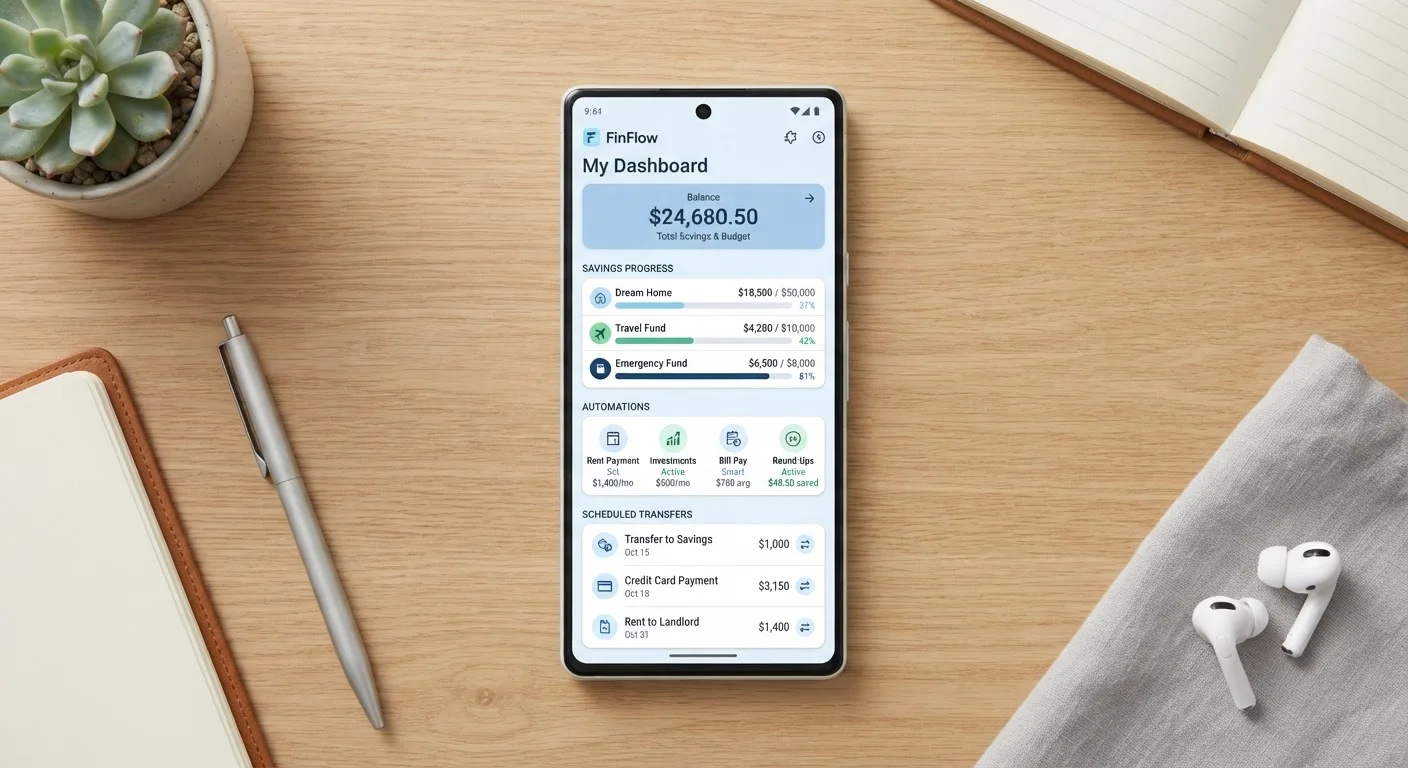
Photo: MoneyOnMind.net | Navigate Money With Clarity editorial
Key Takeaways
- Automated savings rules move money before you can spend it, reducing reliance on willpower.
- Scheduled bill payments protect your credit score by eliminating late payment risk.
- Round-up features build savings incrementally without requiring a deliberate budgeting effort.
- Spending alerts work best when paired with pre-set category limits, not used in isolation.
- Not all automation features are equally available across traditional and digital-first banks.
Why Automation Is the Underused Core of Digital Banking
Most people use their banking app to check balances and nothing more. That's a significant missed opportunity. The automation features built into today's digital banks are designed to remove friction from financial decisions - the kind of friction that leads to missed payments, stalled savings goals, and overdraft fees.
To understand the broader landscape of what digital banking actually offers, see our overview of digital banking. This article focuses specifically on the automation layer - the features that work in the background so you don't have to.
Not every feature listed here will be available at every institution. Availability varies between traditional banks, credit unions, and digital-first neobanks. Always review your account's terms and feature set before configuring any automated rules. This article is general financial information, not personalised advice - consult a qualified financial professional for guidance specific to your situation.
Start with one automation, not six
Six Automation Features That Genuinely Earn Their Place
Automatic scheduled transfers to savings
Setting a fixed transfer from your checking account to savings on payday - before discretionary spending happens - is one of the most reliable financial habits you can build. Most digital banks allow you to schedule recurring transfers by day of month or day of week, with a specific dollar amount. The key is timing: schedule it to coincide with your deposit date so the money moves before it can be spent elsewhere.
This approach is sometimes called paying yourself first. It removes the decision from the equation entirely. For a closer look at how compartmentalised savings tools work across different platforms, see savings pots, vaults, and envelopes compared.
Scheduling savings transfers on payday removes the decision before discretionary spending can intervene.
Bill payment scheduling
Scheduled bill payments are the automation feature with the clearest, most direct payoff: they eliminate late payment risk. A single missed payment can remain on your credit report for up to seven years under standard US credit reporting rules. Scheduling recurring payments for rent, utilities, loan installments, or subscriptions means the payment goes out on time regardless of how busy your month becomes.
Use fixed-amount scheduling for bills with stable amounts and, where possible, set payments a day or two before the due date to account for processing time. For variable bills, a minimum-amount rule (common on credit card autopay) reduces late fees while leaving headroom to pay more manually.
A single late payment can affect your credit report for up to seven years - scheduling eliminates that risk.
Round-up savings rules
Round-up features automatically round each debit card transaction to the nearest dollar (or a set increment) and transfer the difference to a savings account or goal. On a day with several small purchases, this can add up to a few dollars without any conscious effort. Over a year, consistent round-ups can accumulate several hundred dollars depending on spending volume.
The psychological advantage is that round-ups feel painless - they draw from amounts already mentally spent. The limitation is that they work best as a supplement to deliberate saving, not a substitute. Don't let round-ups discourage you from setting a proper recurring transfer.
Round-ups are painless precisely because the money is already mentally spent at the point of purchase.
Low-balance alerts and overdraft warnings
Real-time push notifications triggered by a falling balance - say, when your checking account drops below $200 - give you a window to act before an overdraft occurs. This is especially useful if you carry multiple accounts or if your income arrives irregularly. Many apps let you set a custom threshold so the alert triggers at a level meaningful to your spending pattern.
Pair this with an automatic overdraft transfer rule (moving funds from savings to checking when the balance falls below a floor) for a two-layer safety net. Be aware that some institutions charge a fee for overdraft transfer services - check your account's fee schedule before enabling it.
A custom low-balance alert gives you a window to act before an overdraft fee hits your account.
Spending category limits with automatic notifications
Some digital banks allow you to set a monthly spending cap per category - dining, transport, entertainment - and automatically notify you when you approach or exceed it. Unlike passive transaction histories, these proactive alerts interrupt the behaviour before it compounds. Research on behavioral economics consistently shows that real-time feedback is more effective than retrospective review for changing spending patterns.
For these to work, your bank's transaction categorisation needs to be reasonably accurate. If categories are frequently miscoded, the alerts lose value. Our article on why budgeting tools underperform covers common miscategorisation issues and how to address them.
Proactive category alerts interrupt overspending before it compounds, unlike retrospective transaction reviews.
Goal-based savings with automatic top-ups
Goal-based savings tools let you name a savings bucket - emergency fund, vacation, new laptop - assign a target amount and deadline, and have the app calculate the required weekly or monthly contribution automatically. Some platforms will top up the goal from your checking account if you're falling behind, or pause contributions if your balance is too low.
The naming and visualisation of progress matters more than it might seem. Behaviorally, labeled money is harder to spend impulsively. This is the digital equivalent of the envelope budgeting method, and it works for the same reasons. See how different savings tools compare for a deeper breakdown.
Named, goal-linked savings buckets make money psychologically harder to spend impulsively.
Availability varies by institution
Putting Automation to Work Without Losing Control
Automation is most effective when it reflects deliberate choices, not set-and-forget neglect. Review your automated rules every quarter - income changes, spending patterns shift, and a rule that made sense six months ago may now be misdirected. Our guide to maximising your banking app covers the foundational habits that make these features work reliably.
If you want to go deeper on savings specifically, our step-by-step guide to automated savings rules walks through trigger conditions and configuration in detail. And for choosing between instant and scheduled payments, understanding real-time vs scheduled transfers can prevent costly mistakes.
This article is for general informational purposes only and does not constitute personalised financial, banking, or legal advice. Features and availability vary by institution. Always read your account's terms and conditions and consult a licensed financial professional before making decisions about your own finances.
The content on this site is for informational purposes only and is not a substitute for professional advice. Always consult a qualified professional for guidance specific to your situation.