
Instant Notifications and Spending Insights: Do They Actually Change Behaviour?

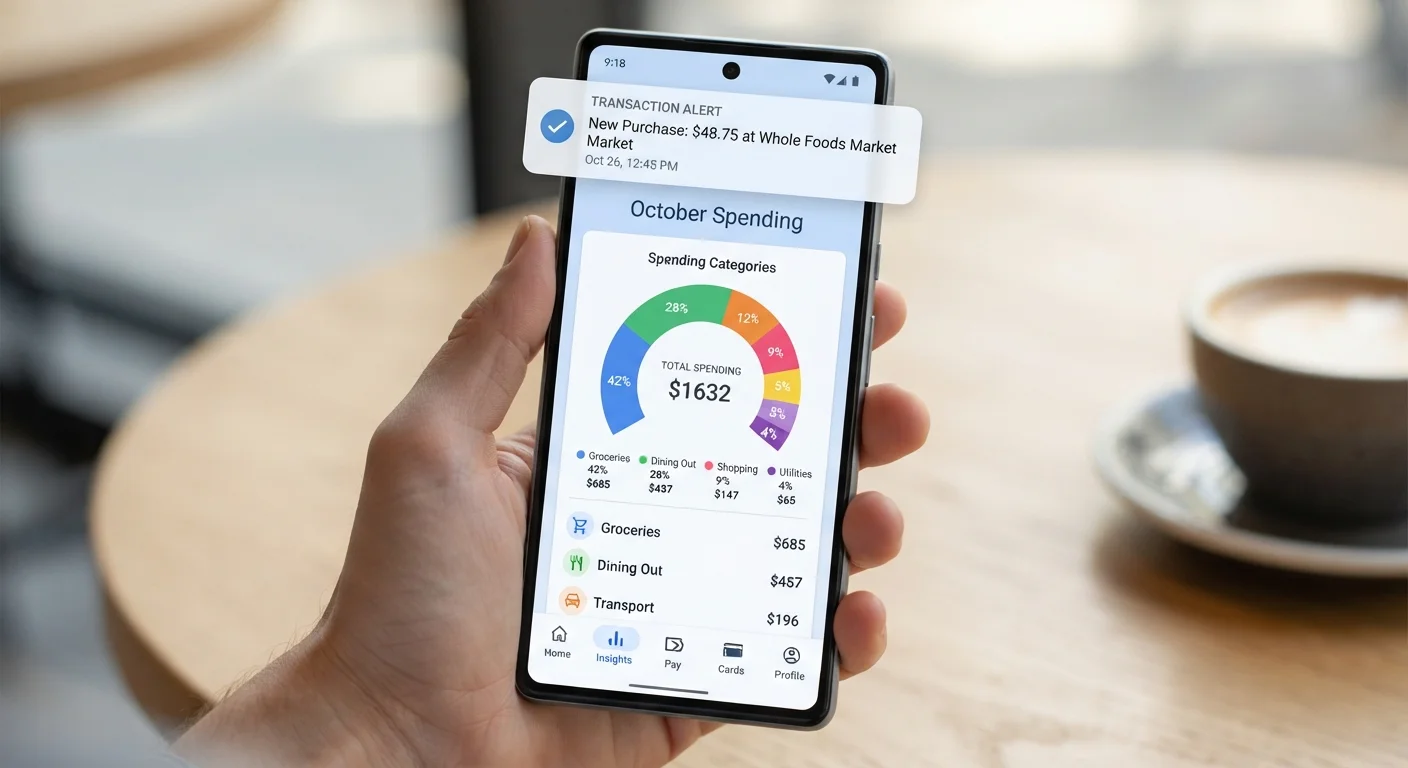
Photo: MoneyOnMind.net | Navigate Money With Clarity editorial
Key Takeaways
- Instant notifications create awareness but don't automatically reduce spending on their own.
- Spending insights are most effective when paired with a pre-set budget or financial goal.
- Notification fatigue is real - too many alerts can cause users to start ignoring all of them.
- Behavioural change requires consistent engagement with insights, not just passive receipt of alerts.
- Customising alert thresholds and categories significantly improves their practical usefulness.
What These Tools Actually Do
Most digital banking apps now offer two related but distinct features: instant transaction notifications, which push an alert to your phone the moment a payment clears, and spending insights, which aggregate those transactions into category summaries - dining, transport, subscriptions - over days, weeks, or months.
Both features are genuinely useful, but they operate differently in your financial life. Notifications work on the immediate, transactional level. Insights work on the pattern level. Understanding this distinction is the starting point for using either one effectively. For a broader overview of how these tools fit into modern banking, see what digital banking actually covers.
Myth
Seeing a transaction notification the moment you spend automatically makes you spend less.
Fact
Notifications raise awareness of spending events, but awareness alone does not reliably change behaviour without an accompanying intention or plan.
Behavioural science distinguishes between awareness and intention. A push notification that says "You spent $14 at a coffee shop" registers the fact - it doesn't create a goal to spend differently. Studies on feedback loops show that information prompts behaviour change most reliably when the recipient has already committed to a specific target, such as a monthly dining budget. Without that anchor, the notification is processed and forgotten.
The practical fix is straightforward: set a category spending limit before relying on transaction alerts. That way, each notification is measured against a benchmark that matters to you personally.
Myth
AI-generated spending summaries give you a complete and accurate picture of your finances.
Fact
Spending insights only reflect transactions processed through that specific account or app - cash, external accounts, and manual payments are invisible to the system.
Most bank apps categorise spending based on merchant codes and transaction descriptions. This works reasonably well for digital card payments but misses cash withdrawals, peer-to-peer transfers coded as generic payments, and any activity on accounts held elsewhere. If you split expenses across two debit cards and a credit card, the insights from any single app will only cover a fraction of your actual spending.
To get a fuller picture, either consolidate most of your day-to-day spending to one account or use a dedicated aggregation tool that links multiple accounts. Even then, review categories manually - merchant coding errors are common, and a misclassified transaction can distort an entire monthly summary.
Myth
More notifications mean better financial control.
Fact
Excessive alerts trigger notification fatigue, causing users to dismiss or mute all alerts - including genuinely important ones.
This is one of the more counterproductive patterns in digital banking. When an app sends alerts for every micro-transaction, users quickly learn to swipe them away without reading. The signal-to-noise ratio collapses, and the high-value alerts - a large unexpected charge, a balance drop below a safety threshold - get buried alongside the irrelevant ones.
Effective notification hygiene means selecting only a small number of high-signal alert types: large transactions above a self-defined threshold, low balance warnings, and unusual merchant categories. Everything else can be reviewed in a weekly summary rather than pushed in real time. See how to configure your app for maximum impact for a practical approach to this.
Myth
Spending insights are only useful for people who are already bad with money.
Fact
Insights tools are equally valuable for people who manage money well - they surface patterns and drift that even disciplined spenders miss over time.
Spending patterns shift gradually. Subscription costs creep up, dining frequency increases during busy periods, and small habitual purchases compound quietly. Even financially organised people benefit from a monthly category breakdown precisely because these changes happen below conscious attention. A three-month comparison chart can reveal a $60 monthly increase in a category you believed was stable.
The goal isn't crisis management - it's calibration. Used this way, spending insights become a maintenance tool rather than a corrective one, which is a more sustainable relationship with the feature. This connects directly to why budgeting tools often underperform - they're designed for ongoing use, not one-time fixes.
Myth
Real-time alerts replace the need for a budget.
Fact
Alerts and budgets serve different functions - one reports what happened, the other defines what should happen.
A transaction notification is retrospective: it tells you what you just did. A budget is prospective: it defines the boundaries you intend to operate within. Relying solely on alerts means you're always reacting to spending rather than guiding it. The most effective approach pairs both - a budget sets the target, and alerts track progress against it in real time.
If you haven't yet set up a structured approach to allocating your income, automated savings rules can complement notification tools by moving money toward goals before discretionary spending decisions arise.
Why the Evidence on Behaviour Change Is Mixed
Financial technology researchers have studied whether digital feedback tools change spending behaviour, and the findings are nuanced. Notifications and insights do increase financial awareness - users who engage with them report knowing more about where their money goes. The gap appears at the next step: translating awareness into sustained behaviour change.
~33%
Users who act on spending alerts regularly
Consumer research by the Financial Health Network has found that only a minority of users who receive spending alerts consistently review and act on them.
2-3x
Behaviour change when paired with a goal
Studies in financial behaviour consistently show that feedback tools produce significantly stronger results when users have a pre-committed savings or spending target.
The critical variable is prior intention. When someone has already decided to reduce restaurant spending by $100 a month, a dining alert functions as a progress check against a meaningful target. Without that pre-existing goal, the same alert is processed as information with no personal stakes attached. This is not a flaw in the technology - it's a reminder that tools amplify intentions, they don't create them.
Watch Out for Notification Overload
Pairing notifications with deliberate automation can close this gap. Automation features like scheduled transfers act on your intentions before discretionary spending decisions arise, making the combination more powerful than alerts alone.
Notifications Inform - They Don't Decide
How to Make These Features Work Harder for You
The difference between users who benefit from spending tools and those who don't often comes down to configuration and engagement habits, not willpower.
- Set thresholds, not just categories. Configure large-transaction alerts at an amount that is genuinely meaningful to you - perhaps anything above $75 or $150 - rather than accepting default settings that trigger on every purchase.
- Review insights on a fixed schedule. A weekly five-minute review is more valuable than passive receipt of daily alerts. Treat it as a standing appointment, not an optional check.
- Cross-reference against your actual budget. Insights are most actionable when compared to a spending plan. If you don't have one, understanding why budgeting tools underperform is a useful starting point for building one that sticks.
- Audit categories quarterly. Merchant coding errors accumulate. A quarterly review catches persistent miscategorisations before they distort your spending picture.
This article provides general financial information for educational purposes only and does not constitute personalised financial advice. Consult a qualified financial adviser for guidance specific to your circumstances.
The content on this site is for informational purposes only and is not a substitute for professional advice. Always consult a qualified professional for guidance specific to your situation.